
The form asks for a feature list
‘Add SSO and a usage dashboard’ hides whether login is failing, billing is wrong, or a workspace cannot invite members.
SaaS intake form examples
SaaS intake form examples should collect the current workflow, the tenant or workspace that hurts, and a reachable owner. They should not start with a feature wishlist or a preferred vendor. Copy the prompts below, then stop—scoring and sequencing are later jobs.
For product operations, customer-led IT, and founders who need a SaaS intake form a department manager can finish in one sitting.
A usable SaaS intake form asks for
A form that starts with ‘What should we build?’ trains requestors to submit a wishlist. Reviewers then reconstruct the workflow from Slack. SaaS intake form examples work when they look like a description of today’s product use—not like a backlog import.
‘Add SSO and a usage dashboard’ hides whether login is failing, billing is wrong, or a workspace cannot invite members.
SaaS pain is usually workspace-specific: a plan, a region, an integration, or a role. A generic ‘users’ field erases that.
Charter, epic, and acceptance criteria stop the customer-success lead who actually sees the broken workflow.
These SaaS intake form examples are a submission template. They make a request reviewable. They do not estimate, score, or sequence the work.
Copy the prompts, then run them in software project intake so workspace, owner, and constraints stay on one submission instead of scattering across email.
Scoring and tickets wait until requirements gathering software has reviewed answers. These examples stop at a complete request.
If the story must travel into questions without a rewrite, use software project intake—the form fields here are the template, not the product.
Name the product area, the tenant or environment, and the steps people take now—including the tools beside your SaaS.
‘Enterprise workspace Acme-West invites contractors in email, then an admin copies them into the app’ is a submission. ‘We need SCIM’ is a solution looking for a problem.
SaaS requests change meaning by role, plan tier, and whether the pain is in production or a sandbox.
A free-tier admin who cannot export is a different request from an enterprise owner blocked on SSO. If the form cannot capture that, reviewers will guess.
Most SaaS changes collide with billing, identity, or an existing integration. Write those limits on the form.
‘Must keep the current payment vendor’ or ‘Okta is already the IdP’ belongs on the submission. A preferred new vendor does not.
Someone must answer follow-up. In SaaS that is often a workspace admin or a CSM-identified champion—not a project manager.
Owner means a person who can confirm the current workflow. Reporter can be whoever typed the form.
A finished SaaS intake form describes the pain. Implementation choices wait until questions are asked.
If every field is mandatory except the solution hunch, people invent features to submit. Make the hunch optional.
Practical template
Use these prompts as a form, a Typeform, or the first screen in a workflow. Leave unknown as unknown. Examples are fictional.
SaaS intake form examples you can copy
Why it belongs on a SaaS intake form
SaaS pain is rarely global. Reviewers need the account, region, or environment.
Example of a complete answer
Acme-West production workspace, enterprise plan, US region.
Why it belongs on a SaaS intake form
Describes the current workflow without requiring a process map.
Example of a complete answer
Admins invite contractors by email, then copy each person into two projects by hand.
Why it belongs on a SaaS intake form
A free-tier member and an enterprise owner are different requests.
Example of a complete answer
12 contractor managers on the enterprise plan; they cannot add guests without an admin.
Why it belongs on a SaaS intake form
Separates inconvenience from lost seats, failed audits, or churn risk.
Example of a complete answer
Invites take two days. Two enterprise renewals mentioned the delay on the last QBR.
Why it belongs on a SaaS intake form
Names the result without locking a feature list.
Example of a complete answer
A contractor manager can add a guest to one project the same day, without a global admin.
Why it belongs on a SaaS intake form
SaaS requests collide with identity, billing, and existing apps.
Example of a complete answer
Okta stays the IdP. Stripe stays the billing system. Sandbox data may be wiped.
Why it belongs on a SaaS intake form
The form submitter is often not the workspace admin who lives the workflow.
Example of a complete answer
Priya Shah, Acme-West workspace admin, and our CSM can join a 20-minute call.
Why it belongs on a SaaS intake form
Captures a hunch without requiring a design. Blank is acceptable.
Example of a complete answer
Guest roles, or SCIM. Or: I am not sure yet.
| Form field | Why it belongs on a SaaS intake form | Example of a complete answer |
|---|---|---|
| Which workspace or tenant is affected? | SaaS pain is rarely global. Reviewers need the account, region, or environment. | Acme-West production workspace, enterprise plan, US region. |
| What do people do in the product today? | Describes the current workflow without requiring a process map. | Admins invite contractors by email, then copy each person into two projects by hand. |
| Who is blocked, and on which role or plan? | A free-tier member and an enterprise owner are different requests. | 12 contractor managers on the enterprise plan; they cannot add guests without an admin. |
| What extra work or risk does this cause? | Separates inconvenience from lost seats, failed audits, or churn risk. | Invites take two days. Two enterprise renewals mentioned the delay on the last QBR. |
| What should be different when this works? | Names the result without locking a feature list. | A contractor manager can add a guest to one project the same day, without a global admin. |
| Which integrations or vendors cannot change? | SaaS requests collide with identity, billing, and existing apps. | Okta stays the IdP. Stripe stays the billing system. Sandbox data may be wiped. |
| Who can answer follow-up questions? | The form submitter is often not the workspace admin who lives the workflow. | Priya Shah, Acme-West workspace admin, and our CSM can join a 20-minute call. |
| What do you think should be built? (optional) | Captures a hunch without requiring a design. Blank is acceptable. | Guest roles, or SCIM. Or: I am not sure yet. |
Worked example
Two submissions arrive for the same product. Only one is a complete SaaS intake form example.
A finished SaaS intake form versus a feature dump
Example
Title: ‘SSO + dashboard.’ Description: ‘Enterprise asked for it.’
Example
Which workspace, which IdP, who is blocked, what ‘dashboard’ means
Example
Acme-West enterprise workspace; contractor managers cannot add guests; Okta stays
Example
Guest role or SCIM—requestor marked ‘not sure’
Example
Workspace admin named; CSM can schedule follow-up
Example
Guided questions about access and invites—not a backlog of SSO tickets
| Form field | Example |
|---|---|
| Weak submission | Title: ‘SSO + dashboard.’ Description: ‘Enterprise asked for it.’ |
| What reviewers still do not know | Which workspace, which IdP, who is blocked, what ‘dashboard’ means |
| Complete submission | Acme-West enterprise workspace; contractor managers cannot add guests; Okta stays |
| Optional hunch | Guest role or SCIM—requestor marked ‘not sure’ |
| Owner | Workspace admin named; CSM can schedule follow-up |
| Next step | Guided questions about access and invites—not a backlog of SSO tickets |
The useful SaaS intake form example is boring: workspace, current steps, who is blocked, constraints, owner. Feature lists feel faster and create a second reconstruction project.
Weak SaaS intake vs. a complete request
Complete SaaS intake
Acme-West enterprise workspace; contractor managers cannot add guests
Complete SaaS intake
Okta stays; guest role is a hunch marked “not sure”
Complete SaaS intake
Workspace admin named; CSM can schedule follow-up
Complete SaaS intake
Guided questions about access and invites, then stop
| Weak submission | Complete SaaS intake |
|---|---|
| Title: “SSO + dashboard.” Description: “Enterprise asked for it.” | Acme-West enterprise workspace; contractor managers cannot add guests |
| No workspace, IdP, or blocked role named | Okta stays; guest role is a hunch marked “not sure” |
| No owner—reviewers invent the problem in Slack | Workspace admin named; CSM can schedule follow-up |
| A backlog of SSO tickets created from the title | Guided questions about access and invites, then stop |
Sizing belongs after the request is understood. Asking for points on the form produces fiction.
Capture constraints (‘keep Okta’). Do not force a feature name when the workflow is still being described.
A deal name is not a workflow. The form still needs the workspace and the broken step.
Unknown plan tier is allowed. Inventing a tier to submit the form trains people to guess.
In Precision Foundry
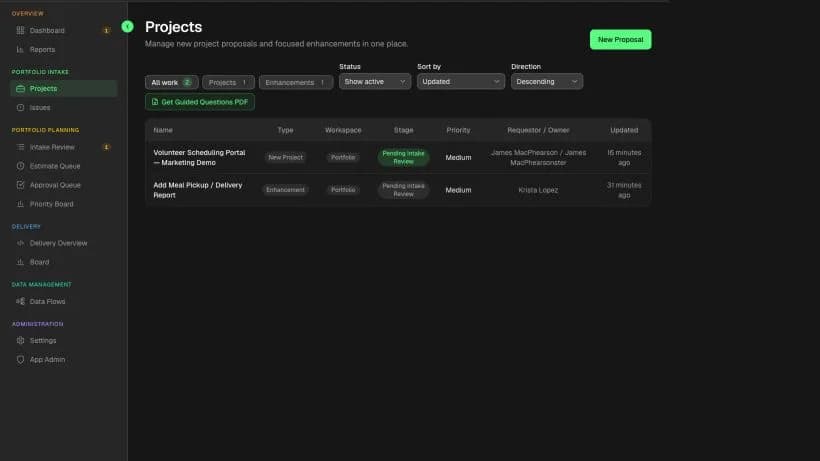
Precision Foundry is built for people who know the job, not a ticket title box. Guided prompts collect the workspace story, then reviewers see whether the submission is complete enough to continue into questions.
Common questions
Fields that name the workspace or tenant, today’s workflow, who is blocked and on which plan, integrations that cannot move, a reachable owner, and an optional solution hunch. Leave off story points, sprint fields, and a required feature list.
A support ticket is a broken-now issue with a known object. A SaaS intake form is for a software change that still needs a decision. Do not use the same form for password resets and a new guest-role workflow.
Yes. The prompts are the asset. Software helps when submissions scatter across email and when the story must travel into questions without being rewritten.
Account tier and workspace are useful because they change the workflow. ARR is a sales fact, not a substitute for describing what is broken. If you collect commercial context, keep it separate from the problem fields.
Precision Foundry keeps this guide attached to the request so the template does not live in a forgotten doc.
Request Private AlphaOptional cookies
We use optional technologies only with your choice. Strictly necessary cookies for sign-in and security always run. Cookie Policy